
Euphony v8.0.0
The Euphony Web Player
Euphony now has a full player you can use without typing a single command, on the website at https://euphony-music.com/player, synced live with the music in your voice channel.
Opening it right inside Discord, as an Activity, is available on Euphony 7 and Euphony 8 for now: the Euphony bots that come with Premium User, or with a server on the Deluxe Servers Bundle. It's coming to the other Euphony bots soon.

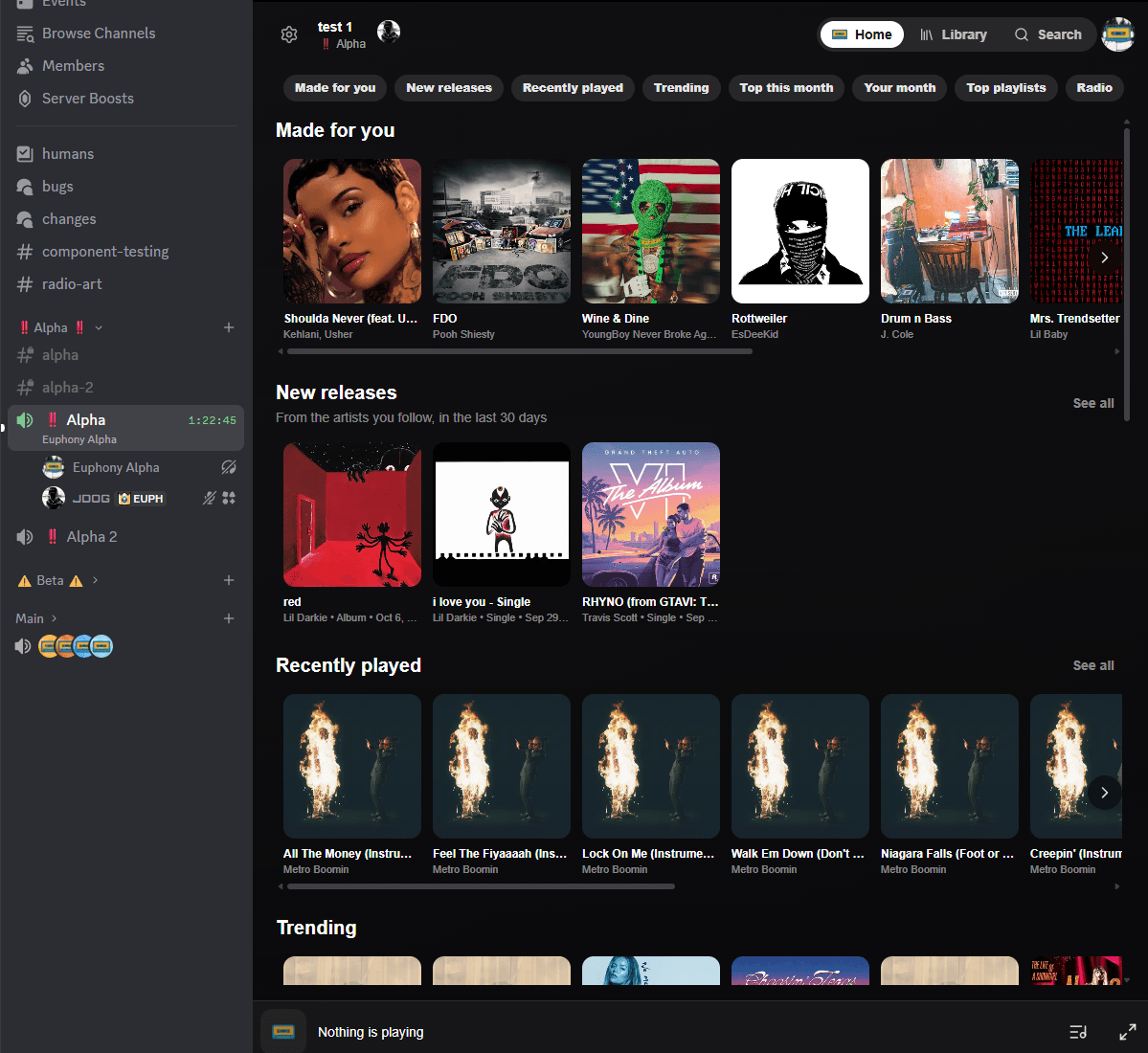
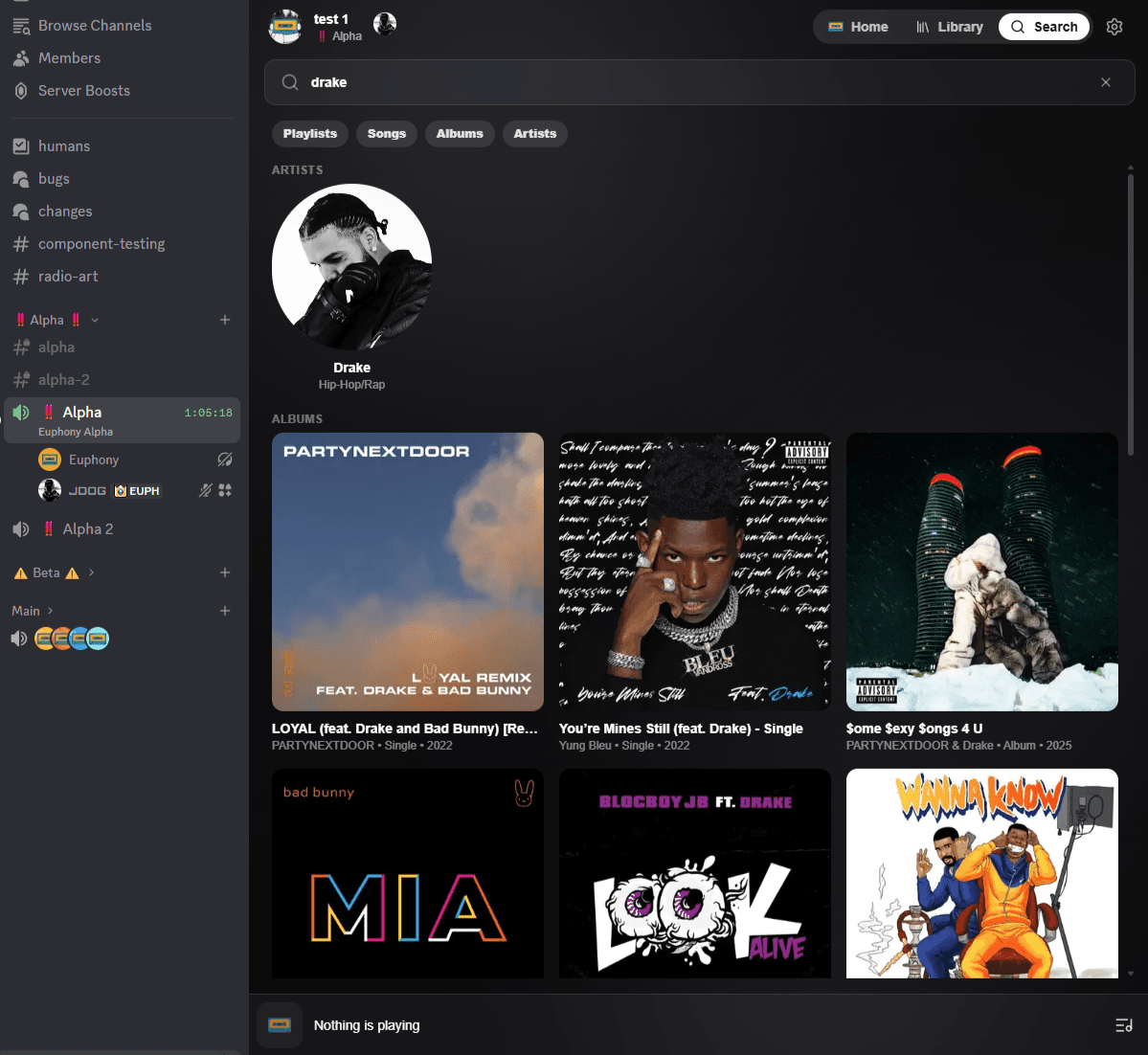
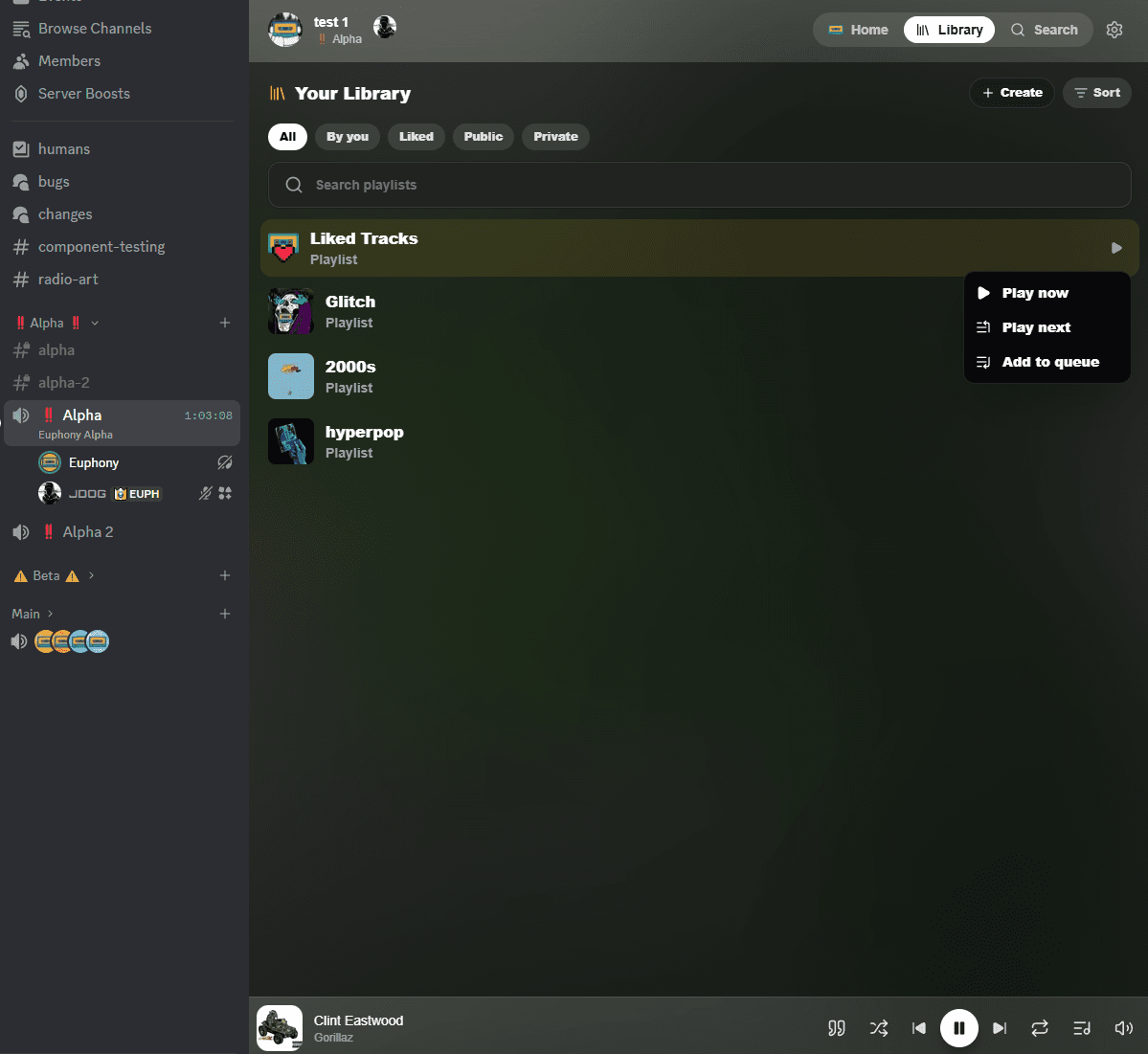
What you can do
- Control playback: play, pause, skip, go back, seek, shuffle, loop, and set the volume for everyone listening.
- See the queue and history: reorder, remove and jump to tracks, and see who requested each one.
- Search everything: songs, albums, artists, links and public Euphony playlists. Choose to play now, play next or add to queue for anything you find.
- Your library: play your playlists and liked tracks, normally, shuffled or in reverse.
- Discover music: recommendations built from your listening, recently played, trending, the charts, your month in music, the most liked playlists, and radio stations.
- Lyrics: synced lyrics that follow the song, word by word where available.
- Settings: 24/7, audio effects, voice lines, crossfade, DJ mode, vote skip and auto pause, without leaving the player.
- Big picture: a fullscreen view of what's playing, with the artwork front and centre.
Follow artists, and never miss a release
- Open any artist in the web player and press Follow. You can follow up to 50 artists.
- New releases on the player's home shows what the artists you follow have put out in the last 30 days. Press See all for every one of them, grouped by the day they came out.
- Queue all puts every new release in the queue at once: choose today, or the last 7, 14 or 30 days, then play them now, next, or after what's already queued.
- Everyone you follow is on your profile: the Followed Artists count opens the list, where you can unfollow them. On someone else's profile, you can follow any of their artists from the same list. Anyone who can see your profile can see who you follow.
Profiles in the player
Press a listener, or whoever requested a song, and choose Open profile to see their profile without leaving the player: their stats, public playlists, followers, and the artists they follow.
Opening it
On the website:
- Join a voice channel where Euphony is playing.
- Go to https://euphony-music.com/player and sign in with Discord.
The player picks up the music in your voice channel by itself. You can also run /webplayer at any time for a
link.
Inside Discord, with Euphony 7 or Euphony 8:
- Join the voice channel that bot is playing in.
- Press the Activities button (the rocket) in the voice channel's controls.
- Pick that bot. Each bot's Activity opens that bot's player.
Launch it from the voice channel only, not from the message bar. While the Activity is open, your Discord status shows what you're listening to.
Who can use it
The web player is free for everyone. Search, the queue, playback controls, plain lyrics, the charts and your profile are all yours without a plan.
Some features inside it come with a plan, the same as they do in Discord: synced lyrics, your library and playlists, radio, autoplay, Smart Shuffle, crossfade, audio effects and 24/7. They're marked with Euphony's gold cassette. Press one to see which plans unlock it.
Simpler plans
One personal plan: Premium User
The two personal plans are now one: Premium User, for $2.99/month or $29.99/year. It includes everything the old top personal tier did, and unlocks every premium feature in the web player.
- Deluxe User subscribers move to Premium User at the price you already pay. Nothing changes on your bill.
- Premium subscribers move to Premium User and get everything it includes. The new price applies from your next renewal.
Deluxe Servers Bundle: 3 servers, plus as many as you need
The Deluxe Servers Bundle still includes 3 servers for $8.99/month, and you can now add unlimited extra servers for $2.99/month each. Add or remove them any time from your account page.
If you have a Deluxe Servers Bundle today: nothing changes for your servers. All 3 stay active.
Enhanced Server is unchanged.
Every plan still starts with a 7-day free trial.
Bigger queues
Every paid plan can now hold more tracks in its queue.
| Plan | Before | Now |
|---|---|---|
| Premium User | 5,500 (Premium) / 9,001 (Deluxe User) | 10,000 |
| Enhanced Server, for everyone in the server | 1,000 | 5,000 |
| Enhanced Server, for the plan owner | 9,001 | 10,000 |
| Deluxe Servers Bundle, for everyone in the server | 5,000 | 9,000 |
| Deluxe Servers Bundle, for the plan owner | 9,001 | 10,000 |
The free plan stays at 100 tracks.
DJ mode improvements
- DJ mode now stays on when Euphony leaves the voice channel. It used to switch itself off every time Euphony
disconnected. Now it only turns off when you turn it off, or when you reset the bot with
/reset. - Clearer play requests. When someone without DJ access asks for a song while DJ mode is on, the request now shows exactly what would play: the title, artist, artwork, length and where it's from, and for a playlist or album, how many tracks it has. It also says when it would play, so an admin can approve it or turn it down knowing what it is.
Light sync: Govee, and a better Philips Hue
Your smart lights can follow the music, changing color with every song's artwork. Euphony now works with Govee as well as Philips Hue, and Hue support has been rebuilt.
Govee
- New: connect your Govee lights with your own API key from the Govee Home app. Euphony shows you how to get one, step by step, when you press Connect.
- LED strips and light bars get a gradient of the song's colors along their length. Other Govee lights take one color each.
Philips Hue
- Gradient lights get a gradient. Hue gradient lightstrips and other gradient lights now show several of the song's colors at once, instead of one.
- Choose exactly which lights sync: all your lights, any of your rooms and zones, or none, without disconnecting.
- Only color lights change. White-only bulbs are left alone.
- If Hue stops accepting Euphony's sign-in, it now says Reconnect instead of quietly not working.
- If you connected Philips Hue before this update, connect it again. Your old connection doesn't carry over.
Connecting and syncing
- Connect your lights on the website (Account → Connections → Lights) or in the web player's settings, under Lights. Choose All lights, No lights, or the rooms, zones or devices you want for each one.
- Turn syncing on in each server where you want it, with
/lights syncor the web player's Sync my lights in this server switch. Each server is synced separately, and all your connected lights sync together. - Light sync comes with Premium User, or in a server with the Deluxe Servers Bundle.
Request songs by mentioning Euphony
Mention Euphony with a song in any channel, and it's added to the queue. No command needed, and it's free for
everyone, like /play:
@Euphony never gonna give you upsearches for the song.@Euphony https://open.spotify.com/track/...plays a link, from anywhere/playaccepts.- Add
-nbefore or after your request to play it next:@Euphony -n never gonna give you up.
Euphony replies to let you know it was added, and updates the player. If nothing was playing, it joins your voice channel and starts.
The same rules as /play apply: you need to be in a voice channel (Euphony's, if it's already in one), and DJ mode,
vote skip and your plan's queue limit all still count. You can make up to 10 requests a minute.
Mention Euphony on its own, with nothing after it, and it'll point you to /play to get started.
This replaces listen mode
Listen mode, which played songs typed into a chosen channel, has been removed. Discord no longer gives Euphony access to every message, so it can't read requests sent that way, but it still sees messages that mention it. Mentioning Euphony works in any channel, with no setup.